The EOS 50D is a bit of a sad relic… until you put its RAW files through DxO PureRAW
I like the old Canon EOS 50D. This is a big, meaty camera with a solid build and nice controls. I love what’s on the outside. Unfortunately, I don’t love what’s on the inside. It has a 15MP Canon sensor that’s pretty poor by modern standards. This is where DxO PureRAW comes in.

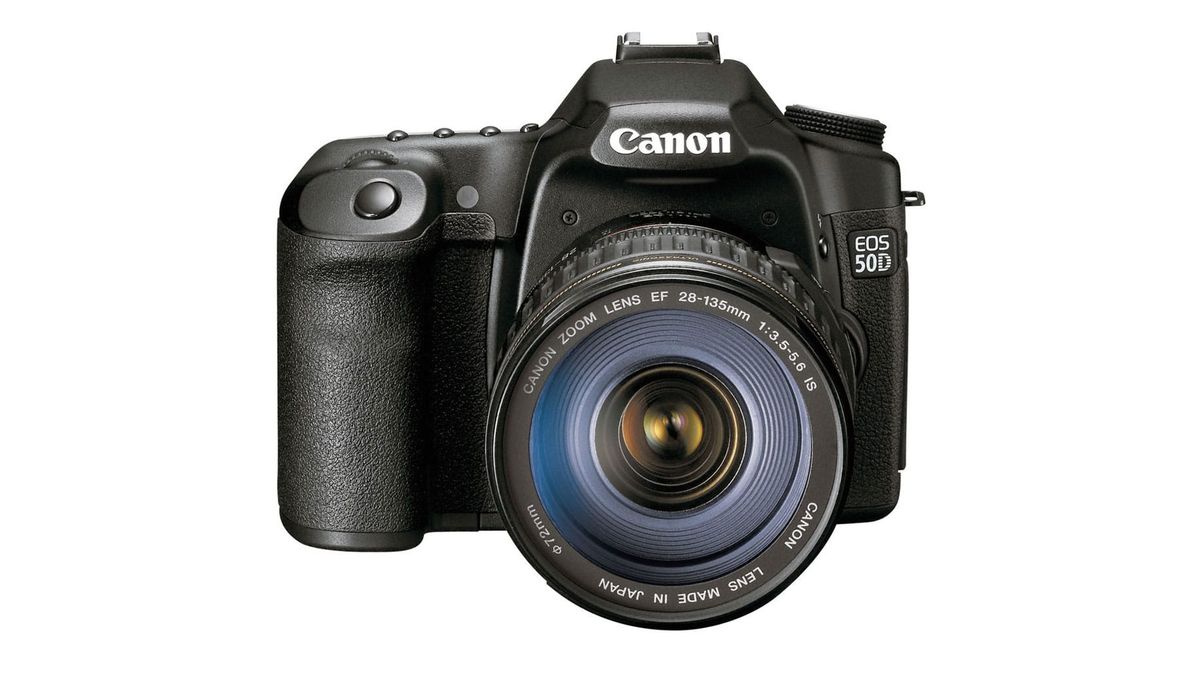
I like the old Canon EOS 50D. This is a big, meaty camera with a solid build and nice controls. I love what’s on the outside. Unfortunately, I don’t love what’s on the inside. It has a 15MP Canon sensor that’s pretty poor by modern standards and rather lets down a camera that’s otherwise still good today. This is where DxO PureRAW comes in.
Maybe you’ve heard of DxO. It’s a French company that specializes in optical corrections and AI denoising via its DeepPRIME processing technology. PureRAW is like a RAW pre-processing tool that applies DxO’s sophisticated lens correction profiles and its noise reduction and detail enhancement to your RAW files, but outputs a compressed DNG file that still works like a RAW file in other programs – but with DxO’s corrections and denoising already applied.
I recommend PureRAW wholeheartedly for anyone who wants to shoot with older cameras because it can genuinely transform the image quality. You can head over to www.dxo.com to find out more and download the trial version to check it out. And if you do decide to buy it, use my discount code LAP15 to get 15% off – though that’s for new customers only, I’m afraid.
Back to the EOS 50D. It has a couple of image quality problems. It is only 15MP, but that’s not the biggest because I think that’s still a workable resolution for many, even today.
The actual problem is that the in-camera JPEGs are very soft. I reviewed this camera when it first came out and I own one now, and I haven’t changed my mind.
To achieve anything like the quality this camera is capable of, you have to shoot RAW, and then, especially if you use Lightroom or Adobe Camera Raw for RAW processing, you start to see noise pretty early in the ISO range.
So my advice? Always shoot RAW and use Adobe’s AI denoising, or Capture One or run your images through DxO PureRAW. PureRAW won’t just make high-ISO images look good (really good), it will correct older lenses not just for distortion, chromatic aberration and corner shading, but for global softness and edge softness too.
It turns out the Canon EOS 50D is capable of very good image quality, even by today’s standards. The transformation offered by PureRAW is extraordinary, but you can go a long way towards that just by shooting RAW and processing your images carefully in your regular software.